Credentials
All credentials that are required for the bot to run are defined in the sample .env file provided (“.env (sample)”).
# rename this to .env and set values

# client ID for integration to be used.
# required scopes: spark:calls_write spark:kms spark:calls_read spark-admin:telephony_config_read spark:people_read
WXC_CC_INTEGRATION_CLIENT_ID=

# client secret of integration
WXC_CC_INTEGRATION_CLIENT_SECRET=

# scopes to request. Use these scopes when creating the integration at developer.webex.com
WXC_CC_INTEGRATION_CLIENT_SCOPES="spark:calls_write spark:kms spark:calls_read spark-admin:telephony_config_read spark:people_read"

# bot email address
WXC_CC_BOT_EMAIL=

# bot access token
WXC_CC_BOT_ACCESS_TOKEN=

# bot name
WXC_CC_BOT_NAME=
Bot credentials
WXC_CC_BOT_EMAIL, WXC_CC_BOT_ACCESS_TOKEN, and WXC_CC_BOT_NAME are the details of the actual bot and are
obtained when creating the bot at developer.webex.com in the My Webex Apps section.
Integration credentials
To use the Webex Calling call control APIs on behalf of a user the bot needs to obtain access tokens using an
integration
with the required scopes. WXC_CC_INTEGRATION_CLIENT_ID and WXC_CC_INTEGRATION_CLIENT_SECRET are details of this
integration that also needs to be created in the My Webex Apps section at
developer.webex.com.
When creating the integration at developer.webex.com you need to make sure that
the scopes you select there cover the minimum set of scopes required for the integration to work. The default for
WXC_CC_INTEGRATION_CLIENT_SCOPES provided in .env (sample) is the minimum set of scopes.
spark:kms: required scope to be able to interact with encrypted content (messages); although the bot doesn’t really need this scope, it’s still included as a defaultspark:people_read: access to company directory. The bot only needs this scope to be able to call the /people/me endpoint after obtaining access tokens at the end of an OAuth flow to check whether the user who granted access is identical to the user the bot is interacting with. This is to avoid that for example bob@example.com initiates authentication using the/authcommand and then during the authorization flow a different identity is used to authenticate (for example alice@example.com). The access tokens granted as the result of the authorization flow in this case would we associated with alice@exemple.com and thus useless for the bot trying to access Webex resources on behalf of bob@example.com who initiated the authorization flow.spark:calls_read: required to list calls, get call details, and get call history.spark:calls_write: required for all actions on callsspark-admin:telephony_config_read: required to create a webhook to receivetelephony_callsevents.
More information about available scopes is available here: https://developer.webex.com/docs/webhooks
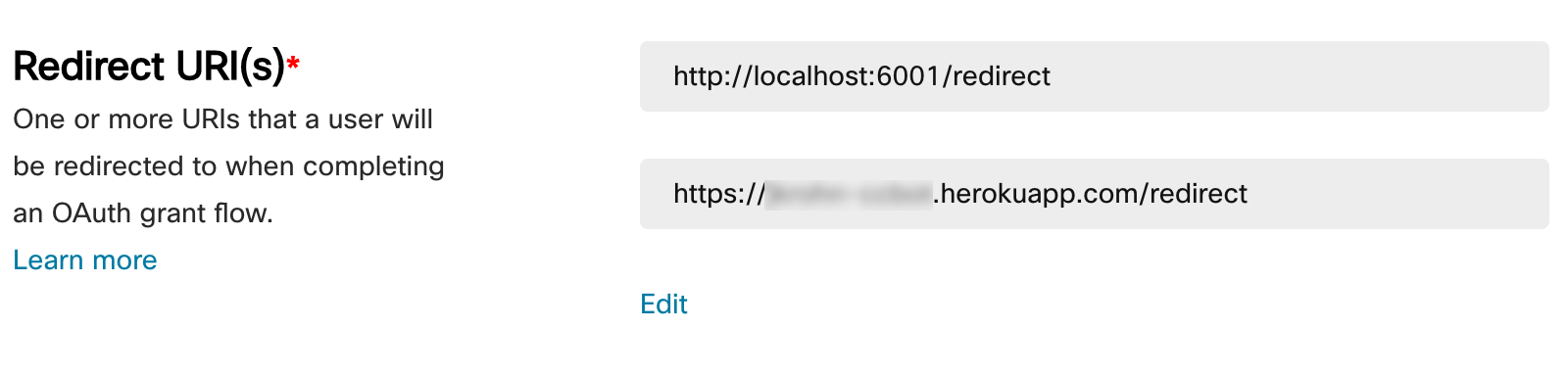
When you plan to run the bot locally (either directly or in Docker) then you need to set the redirect URL to
http://localhost:6001/redirect to make sure that the user’s browser at the end of the OAuth flow gets redirected
back to
an URL the bot listens on locally. When hosting your bot on Heroku (or some other hosting platform) you need to make
sure to also include a redirect URI pointing to that platform: